
Picking your first desktop CNC machine is one of the most exciting decisions you will ever make as a hobbyist. It is also one of the easiest buying decisions to get wrong. The market in 2026 is packed with options ranging from $200 learner machines to $5,000 semi-professional tools. The right choice depends on what you want to make, how much space you have, how much you are willing to spend, and whether you prefer tinkering with the machine or making parts on day one.
I have been using and reviewing desktop CNC machines for several years and I have owned most of the popular models at one point or another. This guide compares the top contenders head to head with detailed specs and analysis so you can make an informed decision without wasting money on the wrong machine. If you are completely new to CNC, start with our CNC Basics for Beginners guide first.
What to Look For in a Desktop CNC Machine
Frame Rigidity and Drive System
Before comparing specific models it helps to understand what separates a good hobby machine from a frustrating one. Frame rigidity is the single most important factor. A rigid frame produces better surface finish, holds tighter tolerances, and allows you to cut harder materials. Steel or thick aluminum frames outperform thin aluminum extrusion every time.
Ball screws on all axes are superior to lead screws which are superior to belt drives. Ball screws eliminate backlash and provide consistent precision over the life of the machine.
Spindle Power and Software Ecosystem
Spindle power matters but not as much as rigidity. A 700 watt spindle on a rigid frame cuts better than a 1,500 watt spindle on a flimsy frame. Look for machines that use real VFD spindles rather than trim routers because VFD spindles are quieter, more reliable, and offer G-code speed control.
Work area is another key factor. Buy the largest work area you can fit in your space. You will always wish you had more room, not less.
Software ecosystem is often overlooked by beginners. Some machines come with integrated software that works out of the box while others require you to piece together a workflow from separate CAM and controller programs. Integrated software reduces the learning curve significantly. Community size also matters. A large community means free troubleshooting advice, shared project files, and hundreds of YouTube tutorials.
Shapeoko 5 Pro
Key Features and Specs
The Shapeoko 5 Pro is the latest generation of Carbide 3D’s long-running Shapeoko line. It represents the culmination of years of iterative improvement and has the most polished software ecosystem in the hobby CNC market.
The machine features a hybrid steel and aluminum frame with a work area of 33 by 33 inches and 3.7 inches of Z travel. It uses belt drive on all axes with a 930 watt spindle included in the price. The machine weighs about 105 pounds and requires several hours of assembly. The total price is $2,400 which includes the router, power supply, and a one-year subscription to Carbide Create Pro software.
Software Ecosystem and Community
What makes the Shapeoko stand out is its software ecosystem. Carbide Create is widely regarded as the most polished CAM software for hobby CNC users. It supports 2D design, V-carving, 3D roughing and finishing, and toolpath simulation. The software is intuitive enough for beginners while being capable enough for advanced work. The Carbide Motion controller software handles machine operation with a clean interface.
The Shapeoko also has the largest community of any desktop CNC machine. The Carbide 3D forum, Reddit communities, and YouTube tutorials provide an extensive knowledge base. If you run into a problem someone has almost certainly solved it before and posted the solution.
Limitations
The main limitation of the Shapeoko is its belt drive system. Belts stretch over time and introduce backlash that limits precision. For woodworking and sign making this is not a significant issue but for aluminum machining the belt drive is a noticeable limitation compared to ball screw machines. The Shapeoko 5 Pro improved on previous generations with a stiffer frame but the belt drive remains the weak point.
Onefinity Machinist X-35
Mechanical Advantages
The Onefinity Machinist X-35 is the direct competitor to the Shapeoko 5 Pro and it wins on mechanical precision. The machine uses ball screws on all axes which is a significant advantage over belt drive systems. Ball screws provide zero backlash, consistent precision over time, and the ability to cut aluminum more effectively.
The work area is 32 by 32 inches with 4.5 inches of Z travel which is slightly more than the Shapeoko. The frame is made from anodized aluminum with a rigid gantry design. The spindle is a 710 watt VFD unit that supports G-code speed control. The machine weighs about 84 pounds. Assembly time is under 30 minutes which is remarkably fast compared to the Shapeoko’s multi-hour assembly. The price is $2,399.
Web-Based Controller
Onefinity uses a web-based controller called Buildbotics that runs on the machine itself. You connect to it from any device with a web browser which means no dedicated computer is required at the machine. This is a unique feature that simplifies the workflow significantly. The controller supports WiFi connectivity and can be accessed remotely.
The mechanical advantages of the Onefinity translate directly to better cutting performance in aluminum and other demanding materials. The ball screw drives provide smoother cuts and better surface finish at higher feed rates. The machine is also modular and expandable with options for laser add-ons, rotary axis, and larger work area upgrades.
Software and Community Trade-Offs
The main downside of the Onefinity is that its software ecosystem is less polished than the Shapeoko. The Buildbotics controller is functional but not as refined as Carbide Motion. You also need to supply your own CAM software which adds to the total cost. The community is smaller than Shapeoko’s although it is growing quickly.
Carbide 3D Nomad 3
Small Precision Mill
The Nomad 3 is a different category of machine. It is a fully enclosed desktop CNC mill designed for small precision work rather than large sheet goods. It has a work area of 12 by 12 inches and a rigid steel frame that makes it capable of cutting metals including steel and titanium.
The Nomad 3 uses ball screws on all axes with a 200 watt spindle. It is significantly more precise than open-frame routers with typical accuracy of 0.001 inch or better. The machine is fully enclosed which makes it safer for indoor use and contains chips and dust. It runs on standard 110V power and weighs about 60 pounds. The price is $1,999.
The Nomad 3 is the best choice if you primarily make small parts, jewelry, electronics enclosures, or precision prototypes. It is not suitable for large parts or sheet goods. The limited work area is the main constraint.
Other Contenders
The Next Wave Shark HD510 costs about $2,500 and includes VCarve Desktop software which is a significant value. The machine has a decent frame and works well for woodworking and sign making.
The Stepcraft D.840 is a German-engineered modular system that supports CNC milling, laser engraving, and drag knife cutting in one platform. It costs about $2,800 and is built to higher quality standards than most hobby machines. The modular capability is unique but the software workflow is more complex.
The PrintNC is a DIY kit that costs $800 to $1,800 depending on options. It uses a steel frame construction and ball screws that give it mill-like rigidity. The PrintNC can cut aluminum and even steel with the right spindle. It requires significant assembly and troubleshooting skills but offers the best performance per dollar.
For absolute beginners on a tight budget the Genmitsu 3018 PROVer costs under $250 and provides a functional learning platform. It has a small work area of 12 by 7 inches and a lightweight aluminum frame. Plan to outgrow it within a few months but it is a risk-free way to learn the basics of G-code, CAM software, and machine operation before investing in a larger machine.
Comparison Table
Head-to-Head Specs
| Machine | Price | Work Area | Drive | Spindle | Weight | Best For |
|---|---|---|---|---|---|---|
| Shapeoko 5 Pro | $2,400 | 33x33x3.7“ | Belt | 930W router | 105 lb | Wood, signs, general use |
| Onefinity X-35 | $2,399 | 32x32x4.5“ | Ball screw | 710W VFD | 84 lb | Aluminum, precision |
| Nomad 3 | $1,999 | 12x12x4“ | Ball screw | 200W | 60 lb | Small precision parts |
| Shark HD510 | $2,500 | 25x25x6“ | Lead screw | Router | 90 lb | Woodworking, signs |
| Stepcraft D.840 | $2,800 | 20x16x4“ | Ball screw | VFD | 110 lb | Multi-purpose |
| Genmitsu 3018 | $239 | 12x7x2“ | Lead screw | 100W | 15 lb | Learning basics |
How to Choose
Use the table to narrow your options by price range and primary use case. If you cut mostly wood and want the best software, choose Shapeoko. If you need aluminum capability and fast setup, choose Onefinity. If you make small precision parts, the Nomad 3 is the clear winner. For the best value, the PrintNC DIY kit offers mill-like performance at a fraction of the cost.
Example G-Code Program
Here is a simple contour program generated by CAM software that any of these machines would run:
; Desktop CNC contour example
G90 G94 G17 G54   ; Safety block
G21               ; Metric
M03 S12000        ; Spindle on
G00 X0 Y0 Z5      ; Position above part
G01 Z-2 F150      ; Plunge
G01 X50 Y0 F500   ; Cut edge
G02 X50 Y50 R25   ; Arc
G01 X0 Y50        ; Cut edge
G01 X0 Y0         ; Close contour
G00 Z5            ; Retract
M05               ; Spindle off
M30               ; End
All machines listed above can run this program cleanly. The G-code is the same regardless of which machine you choose — only the post-processor changes.
Making Your Decision
Match the Machine to Your Work
The best desktop CNC machine for you depends entirely on what you plan to make. If your work is primarily wood signs, cabinets, and 2D parts, the Shapeoko 5 Pro with Carbide Create provides the smoothest learning curve and the largest community for support. The belt drive is not a limitation for woodworking.
If you need to cut aluminum regularly or demand the highest precision, the Onefinity Machinist X-35 with its ball screw drives is the better choice despite the less polished software. The 30-minute assembly is a significant bonus if you value your time.
If your work is small and precise — jewelry, small enclosures, PCB prototyping — the Nomad 3 is the clear winner. The enclosed design, high precision, and quiet operation make it ideal for a home office or apartment workshop.
Budget Realistically
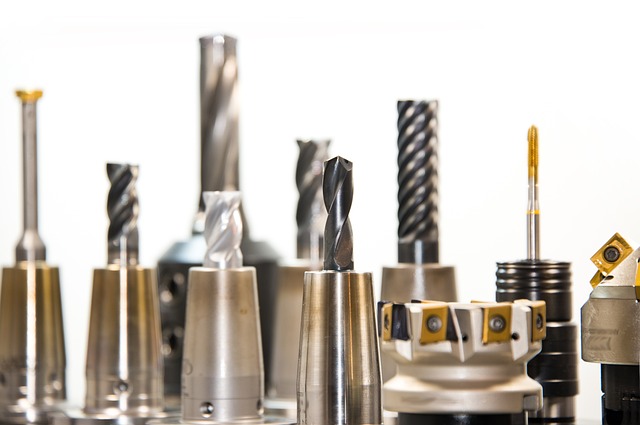
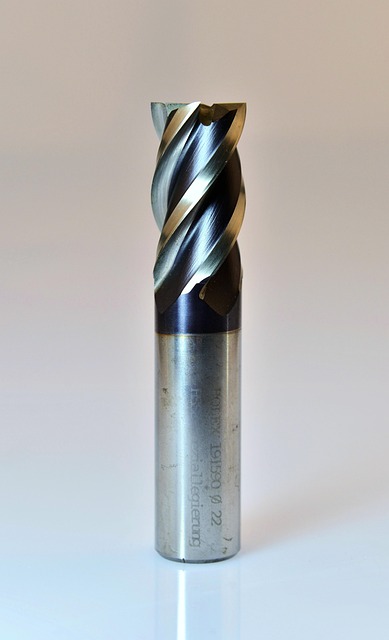
Whichever machine you choose, budget for extras beyond the machine price. You will need end mills ($50-$100 for a starter set), a touch plate for Z-setup ($30-$50), dust collection ($100-$300), and coolant system if cutting aluminum ($30-$80). The real cost of entry is typically $300-$500 above the machine price.
For the Genmitsu 3018, add better end mills immediately — the included bits are low quality. For the Shapeoko, budget for the Carbide Create Pro subscription after the first year if you want 3D toolpaths. For the Onefinity, remember that the spindle is not included.
Final Advice
Read the full reviews on our CNC Machine Buying Guide for a deeper dive into each machine category. If you are still unsure which machine fits your needs, check the CNC Router Bits Guide to understand tooling requirements — your choice of tooling may influence which machine is best for your specific projects.
 CNC Router Software Comparison 2026: VCarve vs Fusion 360 vs Easel vs Carbide CreateJune 27, 2026 · Reviews
 Best CAM Software for Beginners in 2026: ReviewedJune 25, 2026 · Reviews
 Best CNC Router Under $500: Top Budget Picks for 2026June 25, 2026 · Reviews